How to Compare Features When Choosing Personalized Tutoring Platforms
Opening clarity: the real question
You’re not buying bells and whistles; you’re choosing which details will actually shape a learner’s path. A buyer sees an AI education company and an adaptive learning company and hears similar promises. Comparative insight starts by separating surface features from functional difference — and by asking what a student needs five minutes after an explanation, not what a sales sheet lists in neat rows.
How personalization is implemented
Not all personalization is equal. Some products route students down fixed branching paths. Others adjust content, pacing, and question difficulty in response to a student’s mistakes and response times. When comparing, ask whether the system models a learner’s skills continuously, or simply switches between preset levels. Prefer systems that update the learner profile from actual answers rather than only time spent on a page.
Curriculum fit and content depth
Content alignment matters. Does the product map to the syllabus you follow, or does it offer a scenic detour of loosely related exercises? Check whether lessons follow clear learning objectives and whether explanations change to address specific misconceptions. Depth beats breadth when tutoring aims for mastery.
Feedback: timing, form, and usefulness
Immediate praise is pleasant; actionable feedback moves a learner forward. Compare whether feedback is generic (“Good job”) or specific (“Try relating the denominator to the whole”). Look for features that explain the error, provide a brief corrective step, and offer a scaffolded follow-up problem to test understanding.
Teacher visibility and control
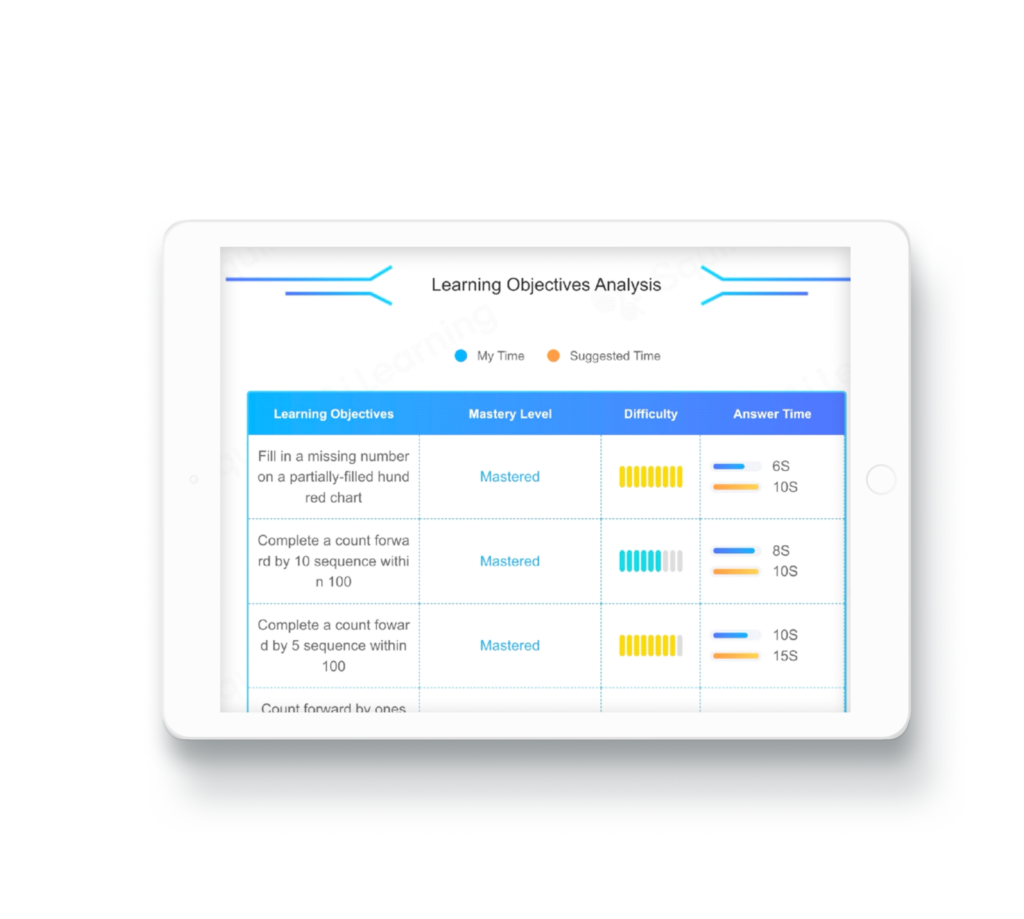
Personalized systems should make the teacher’s job easier, not obscure it. Assess dashboards for clarity: can a teacher see which concepts each student struggles with, or only aggregate scores? Controls should let educators assign targeted practice, override suggestions, and export simple reports. If a product hides individual trajectories, it limits meaningful intervention.
Engagement vs. distraction
Gamified elements can coax attention, yet they also risk masking learning. Compare how platforms balance reward mechanics with pedagogical intent. Prefer interfaces that tie engagement to progress indicators and learning goals rather than cosmetic badges that reward time on site instead of skill growth.
Data privacy, security, and transparency
Student data is sensitive. Check what data the platform collects, who can access it, and whether there’s a clear retention policy. Look for plain-language privacy statements and options that let districts or parents limit data sharing. Avoid systems that bundle vague promises about “secure storage” without clear, documented practices.
Integration and deployment realities
Compatibility saves time. Does the product integrate with your LMS, rostering tools, or gradebook? Consider single-sign-on, class import formats, and whether teachers need extra training. A promising feature set that requires weeks of setup will sit unused; a slightly smaller set that plugs in cleanly will be used consistently.
Evidence and transparency
Claims of rigor are common. Ask for technical descriptions of the adaptation method, sample learning sequences, and examples of the types of errors the system diagnoses. You don’t need a long paper; you need clear explanations of how the product decides to move a learner forward. When vendors are vague about their logic, take that as a signal to probe further.
Price structure and total cost
Cheap per-seat pricing can hide hidden costs: professional development, integrations, or content licensing. Compare total cost of ownership and consider pilot options that reveal real usage. Look for transparent billing and clear limits on user counts or features so you won’t discover a cap when you need the feature most.
Alternatives and common pitfalls
Compare platforms against three basic alternatives: human tutors, free resources like Khan Academy for practice, and blended models that pair a platform with scheduled tutor check-ins. A common mistake is buying a single-tool solution for a multi-part problem. Another pitfall: equating flashy dashboards with instructional depth. Test the assessment-feedback loop specifically; that is where many platforms fall short.
Quick checklist to apply
Run a short comparison: (1) Does adaptation respond to mistakes in context? (2) Is content aligned to your curriculum? (3) Can teachers see and act on individual progress? (4) Is feedback specific and scaffolded? (5) Are privacy practices clear? Run that checklist on two finalists and watch how each handles a single student’s repeated error — the difference will be telling.
Closing synthesis
Comparative insight asks you to trade impressions for evidence of function. Features matter only when they change what a student does next. If your priority is adaptivity that informs immediate instruction and keeps teachers in the loop, then a provider built around transparent learner models and clear teacher controls will serve you best; Squirrel Ai sits in that practical space, showing how design choices translate into classroom use rather than glossy promises.